
Intro
The Parsempo Player is an app that can be installed on various screens, media players, and operating systems.
Its purpose is to receive content and application instructions from Parsempo Control and upload reporting data back to the various dashboards in the platform.
The Player app also contains the optional Anonymous Audience Measurement models used to collect engagement and behavioral data with your screen.
The player app was designed to continue operating without internet connectivity by locally caching the content and playback instructions and running all content and applications without interruption except for applications that require a live feed (e.g., IPTV).
Supported devices and Operating systems
Check out this list of Supported devices and operating systems which is constantly updated.
How to download
You need to download the ‘Parsempo Player’ to a supported device to get started.
If you are using an external media player, connect it to a screen (using an HDMI cable) and proceed to connect the device to the internet through the following connectivity options:
Local Area Network (LAN) – Connect a compatible network cable from your media player or screen with a built-in computer (e.g. tablet or smart TV) to your router or switch board.
Cellular – Connect an external cellular dongle or if your device has an option for a built-in sim card make sure your data plan is activated.
WiFi – Depending on your OS go into the system setting to connect to your local network.
Once you are connected please set the time zone of your device to your local time zone. in the system settings.
Once you have succesfully connected to the internet and the time zone is set there will be different download options:
Android
We highly recommend installing the player app on a rooted android device, as this will enable critical remote management capabilities (e.g., remote updates).
You can download the Parsempo player from two sources:
Option 1: Google Play Store
Sign in to the Google Play store on your device and search for ‘Parsempo Player’
Or you can use this link to access the page directly.
Option 2: Manual Installation (Sideloading)
Start by disabling Play Protect scanning in Play Store > Menu > Play Protect > Settings.
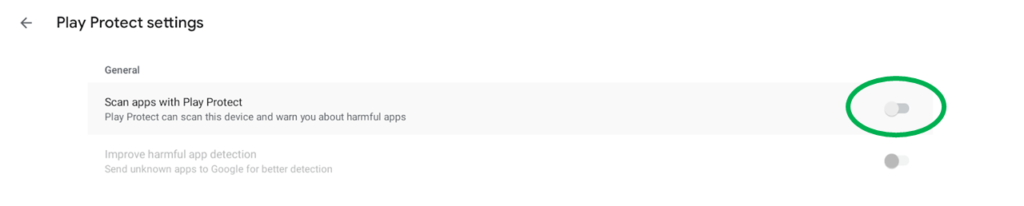
Download and install the APK file from within the downloads section of your Parsempo Control account.
Acknowledge any standard warnings regarding direct installation of an APK.
Installation
Whether you downloaded the Parsempo Player app through the app store or by installing the APK file, you can now proceed to open the app for the first time.
Step 1 – Open the Parsempo Player app on your device.
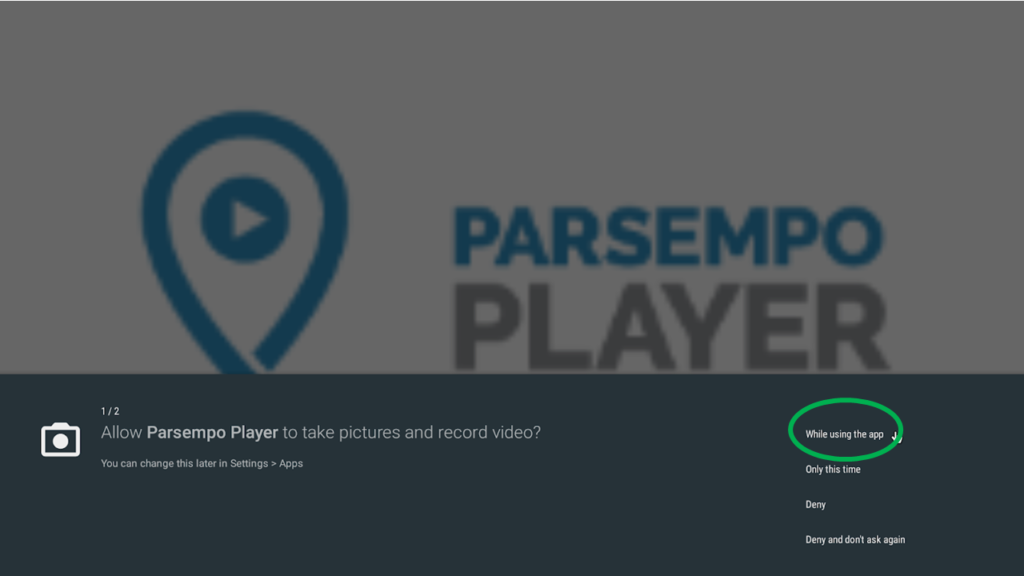
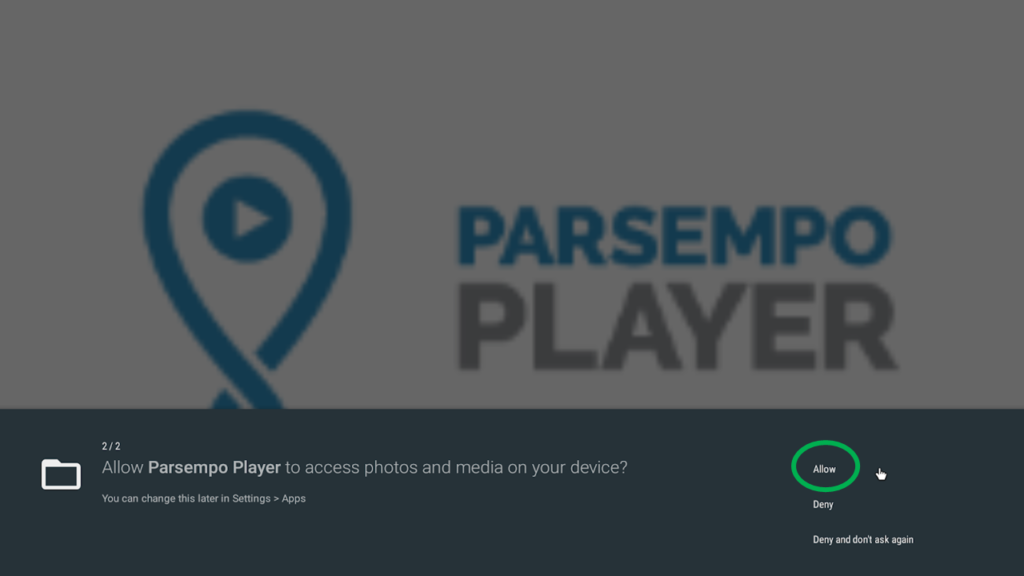
Step 2 – Depending on your Android OS version you will be presented with several permission requests requiring your approval:
A. Allow Parsempo Player to take pictures and record video: While using the app
B. Allow Parsempo Player to access photos and media on your device: Allow
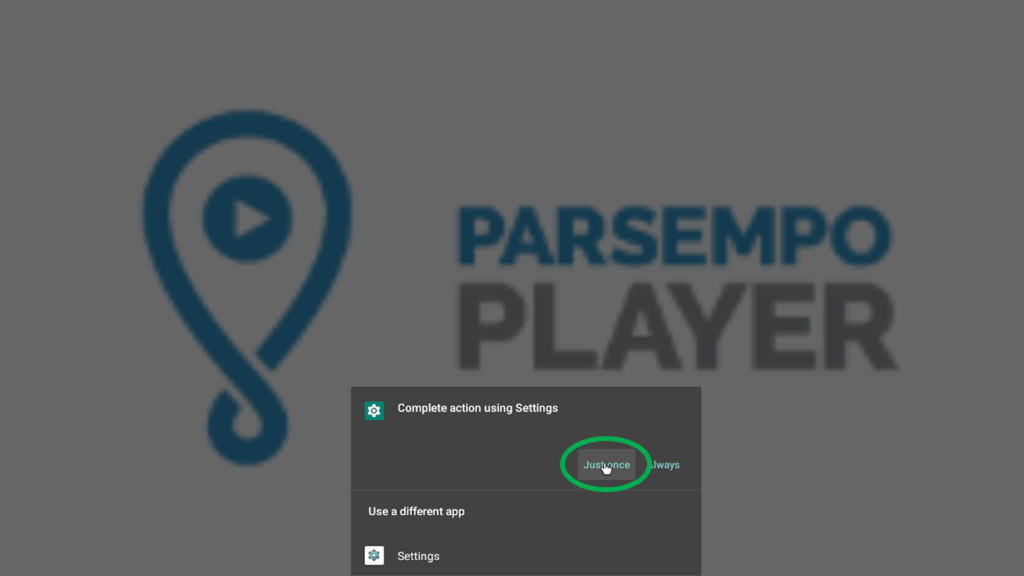
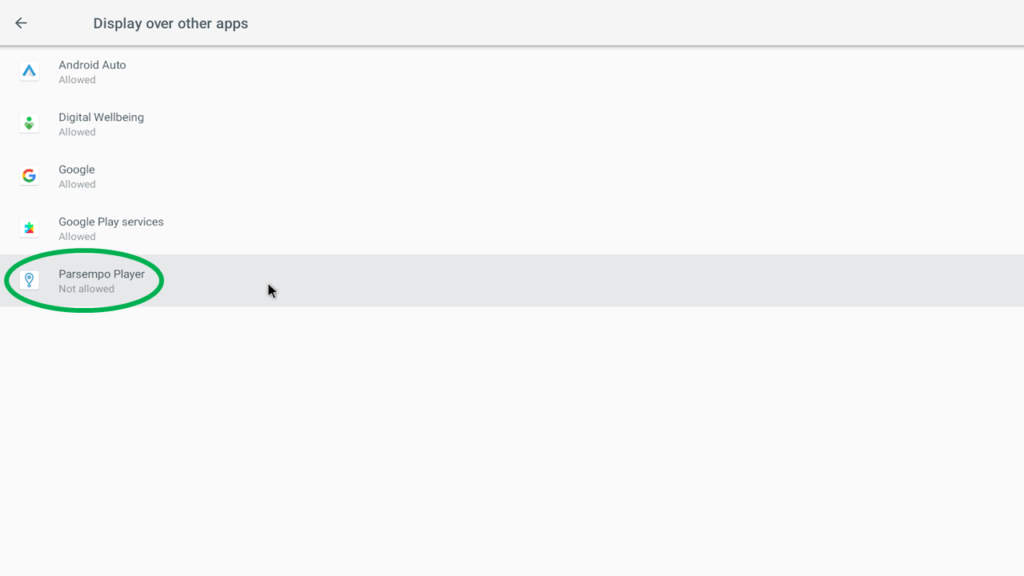
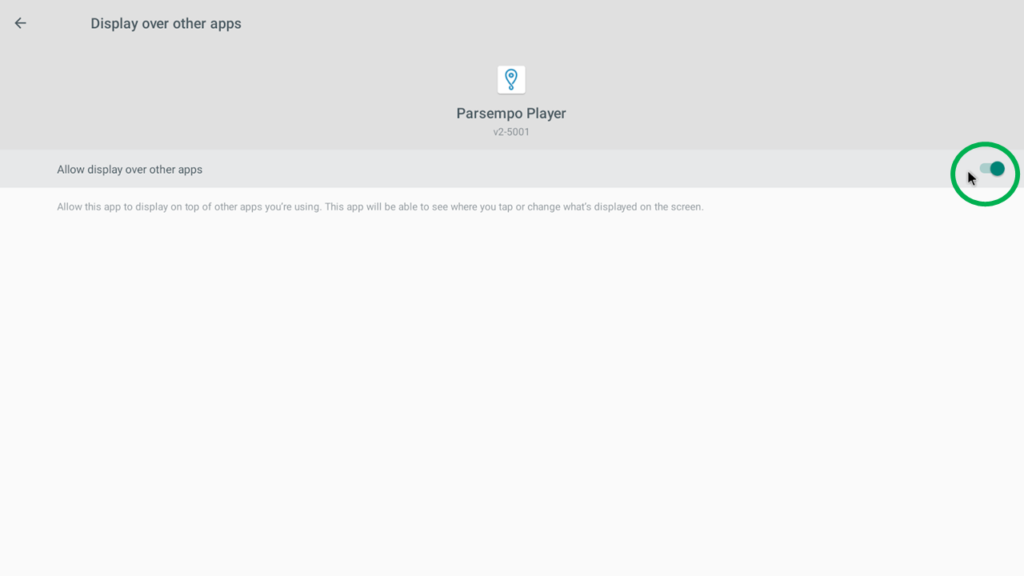
C. Display over other apps > Parsempo Player > Allow display over other apps: Switch ON (this requires confirming a dialog and then exiting the Settings after changing the permission)
The Parsempo Player is now successfully installed.
Now you can connect this screen to your network as explained in the Pairing a Screen walkthrough.